
Choosing the right warehouse setup in Microsoft Dynamics 365 Business Central can feel a lot like standing in an ice cream shop with too many options. Each choice looks appealing, but selecting the wrong one can create unnecessary complexity or limit your ability to grow.
By focusing on your business needs first and then layering in the right features, you can build a warehouse strategy that supports both efficiency and long-term scalability.
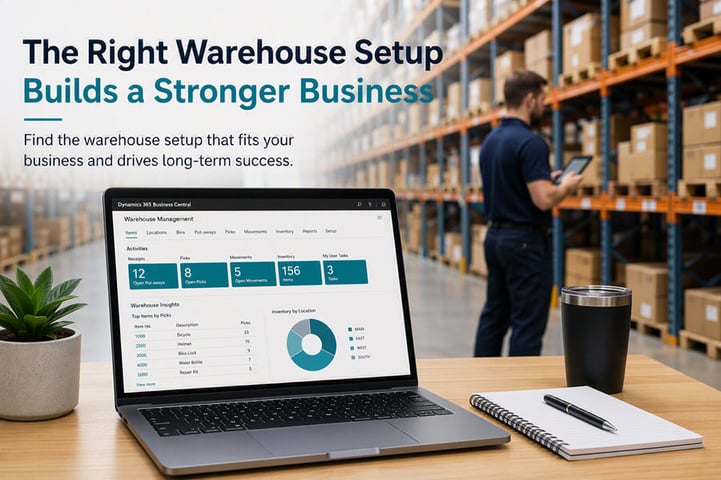
Start with Your Business Needs
Before selecting any warehouse configuration, it is important to evaluate how your business operates. Your transaction volume, number of locations, and process complexity all play a role in determining the right setup.
Some organizations only need a simple way to track inventory and process transactions. Others require defined workflows for receiving, storing, picking, and shipping. The key is matching your system to your current operational reality while leaving room for growth.
It is also worth thinking ahead. Even if your processes are simple today, planning for future expansion can save time later. Small setup decisions, such as defining bins early on, can make it much easier to scale when your warehouse becomes more complex.
Choosing the Right Warehouse Level
Business Central offers three primary approaches to warehousing. Each one builds on the previous level, offering increased structure and control.
Basic Warehousing
A basic setup is a good starting point for smaller operations or those with limited complexity. It allows you to manage inventory directly from purchase and sales documents, with optional tools like bins or shelf numbers for location tracking.
This approach is easy to implement and requires minimal training. However, it relies more on manual processes and does not provide the same level of control or visibility as more advanced setups. For growing businesses, this can eventually become a limitation.
Intermediate Warehousing
Intermediate warehousing introduces more structure through dedicated warehouse documents such as receipts and shipments. Instead of handling everything within a single transaction, tasks are broken into defined steps and assigned to specific users.
This separation improves efficiency and increases visibility. Teams can process incoming and outgoing inventory in batches, track activity more easily, and reduce errors associated with manual handling.
While this setup requires more configuration, it strikes a strong balance between usability and functionality for many mid-sized organizations.
Advanced Warehousing
Advanced warehousing is designed for organizations with high-volume operations or multiple locations that require precise control. It enables detailed processes such as bin rankings, zone picking, stock-keeping units (SKUs), and directed workflows.
At this level, warehouse activities become highly structured. Each role focuses on specific tasks, which improves efficiency and accuracy across the operation.
However, this setup comes with additional complexity. It requires thorough planning, user training, and ongoing maintenance. For smaller operations, the overhead may outweigh the benefits.
Understanding Your Warehouse Structure
Once you have selected your base approach, it is important to understand how Business Central organizes warehouse data. There are three key components:
- Locations represent your physical facilities or warehouses. Each location can have its own processes and rules, allowing you to manage different sites independently.
- Zones are optional groupings within a location. They help organize inventory areas based on purpose, such as receiving, storage, or shipping. Zones can also improve efficiency by limiting how far workers need to travel.
- Bins are the most detailed level. They represent specific storage spots such as shelves or pallet positions. Using bins allows for precise tracking of inventory quantities and movements, which supports better visibility and cycle counting.
Enhancing Your Setup with Additional Features
After establishing your warehouse structure, you can begin layering in features that improve efficiency. These enhancements should be selected based on your specific needs rather than being enabled all at once.
Improving Basic Setups
For simpler warehouses, features like shelf numbers, fixed bins, and default bins help guide workers to the correct inventory locations. These tools provide structure without adding significant complexity.
You can also introduce basic picking and put-away processes to create a clearer flow for inbound and outbound transactions.
Optimizing Intermediate Warehousing
At the intermediate level, features become more process-driven. Warehouse shipments and receipts allow you to consolidate transactions and improve visibility across orders.
Warehouse picks and put-aways add another layer of control by directing how inventory moves through the system. These tools help ensure accuracy and support partial processing when needed.
Additional capabilities, such as cross-docking and bin rankings, further improve efficiency. Cross-docking reduces unnecessary storage by routing incoming inventory directly to outgoing shipments, while bin rankings prioritize the most efficient picking locations.
Refining Advanced Warehousing
Advanced setups allow for deeper optimization through tools like SKUs, zone-based workflows, and bin capacity controls. These features provide detailed planning and help align inventory placement with operational needs.
You can also introduce replenishment strategies to keep high-demand inventory in accessible locations, reducing picking time and improving overall workflow.
While directed pick and put-away functionality exists, many organizations can achieve similar results using standard advanced warehousing features without the added complexity.
Build Your Warehouse Strategy Over Time
One of the most important takeaways is that you do not need to implement everything at once. Start with the level that fits your current operations, then expand as your needs evolve.
By focusing on the right foundation and selectively adding features, you can create a warehouse setup that is both efficient and scalable. Continuous improvement is key. As your business grows, your system can grow with it without requiring a complete redesign.